

⚠️ Affiliate Disclosure: This article contains affiliate links. If you purchase through our links, we may earn a small commission at no extra cost to you. We only recommend tools we have personally used or thoroughly researched. Read our full Affiliate Disclaimer. 🙏
🎁 New to AppSumo? Get 10% Off Your First Purchase!
Sign up with a new email → get 10% discount on any lifetime deal.
Thousands of tools from $19 once.
🛍️ Sign Up to New Email & Get 10% Off AppSumo →
✅ New accounts only | ✅ Instant discount | ✅ Lifetime access
I Was Spending $506 Every Month on SaaS Lifetime Deals Tools. Then I Stopped.
About a year ago, I sat down and did something I had been putting off for months: I actually added up every software subscription I was paying for.
The number that came back was $506 per month. Six thousand and seventy-two dollars a year. For a small business, that is not a software budget — it is a slow bleed. That is the cost of a full website redesign, several months of paid advertising, or a part-time employee who could actually move the needle.
The painful part was not the total. It was realizing that I was not fully using any of the tools I was paying for. I was paying a premium SEO tool $99 a month to run audits I checked once a week. I was paying an AI writing assistant $49 a month for features I used maybe 30% of. And I was paying an email platform $150 a month simply because my subscriber list had crossed a threshold.
This is what people in digital marketing have started calling the “SaaS Tax“ — the cumulative monthly drain of subscription tools that are individually reasonable but collectively devastating to your margins. And in 2026, almost every tool has moved to this model, which means the problem only gets worse the longer you run your business.
I decided to fix it systematically. Over the next three months, I researched, tested, and replaced each subscription with a SaaS Lifetime Deals (LTD) — a one-time payment that gives you permanent access to a tool without any recurring fees. This case study documents exactly what I did, what I bought, what I saved, and what I learned along the way.
“The goal was not to find the cheapest tools. It was to find the best tools that happened to cost me nothing after the first payment.”
👉 Related: 10 Best AppSumo Deals 2026 — Our Top Lifetime Deal Picks
The Problem: What the “SaaS Tax” Actually Looks Like
Before I walk you through the solution, let me show you the problem clearly. Here is what my monthly marketing stack cost before I made any changes:
Annualized, that is $6,072 every single year — money that left my account automatically, whether or not I was generating revenue that month. On a slow month, these fixed costs are psychologically crushing. On a good month, they quietly erode your profit margin.
What made this especially frustrating is that none of these tools were bad. They worked. But their pricing model is fundamentally designed to extract maximum revenue from you as your business grows. Your email list grows → you pay more. You need more seats → you pay more. You want advanced features → you upgrade, you pay more.
The subscription model is not designed to help your business scale. It is designed to scale with your business’s revenue, taking a permanent cut as you grow. Understanding this changed how I thought about software entirely.
The Solution: 5 Lifetime Deals That Replaced My Entire Stack
I want to be honest about my approach before listing the tools. I did not rush to buy every shiny deal I saw on AppSumo. I set three criteria for any tool I would consider:
First, it had to replace a specific subscription I was actively paying for. No impulse buys for tools I “might use someday.” Second, the company had to show signs of longevity — an active development roadmap, responsive founder engagement, and ideally some track record beyond their launch. Third, it had to offer at least equivalent core functionality to what I was replacing, even if it lacked some secondary features.
With those filters in place, here is what I landed on.
1. NeuronWriter – Replaced My $49/Month AI SEO Editor

My previous AI writing tool was fine for generating drafts, but it had no built-in understanding of what Google actually wants to see in a high-ranking article. I was paying separately for an SEO content tool to fill that gap, which felt redundant.
NeuronWriter solved both problems at once. It combines AI content generation with NLP-based semantic analysis — meaning it analyses the top-ranking pages for your target keyword and tells you exactly which related terms, questions, and topics your article needs to cover to compete. You can see your content’s SEO score update in real time as you write.
What I was not expecting was how much this changed my actual workflow. Instead of writing a draft and then separately checking it against SEO criteria, the optimization feedback is built directly into the editing experience. I write toward a score, and the score guides me toward content that ranks. My articles started appearing on page one for competitive long-tail keywords within 6–8 weeks of publication — noticeably faster than before.
💡 The one thing that surprised me most: NeuronWriter’s keyword research and competitor SERP analysis was genuinely useful for ideation, not just optimization. I now use it to plan content calendars, not just check finished articles.
👉 Read our full NeuronWriter review →
2. Labrika – Replaced My $149/Month Technical Auditor
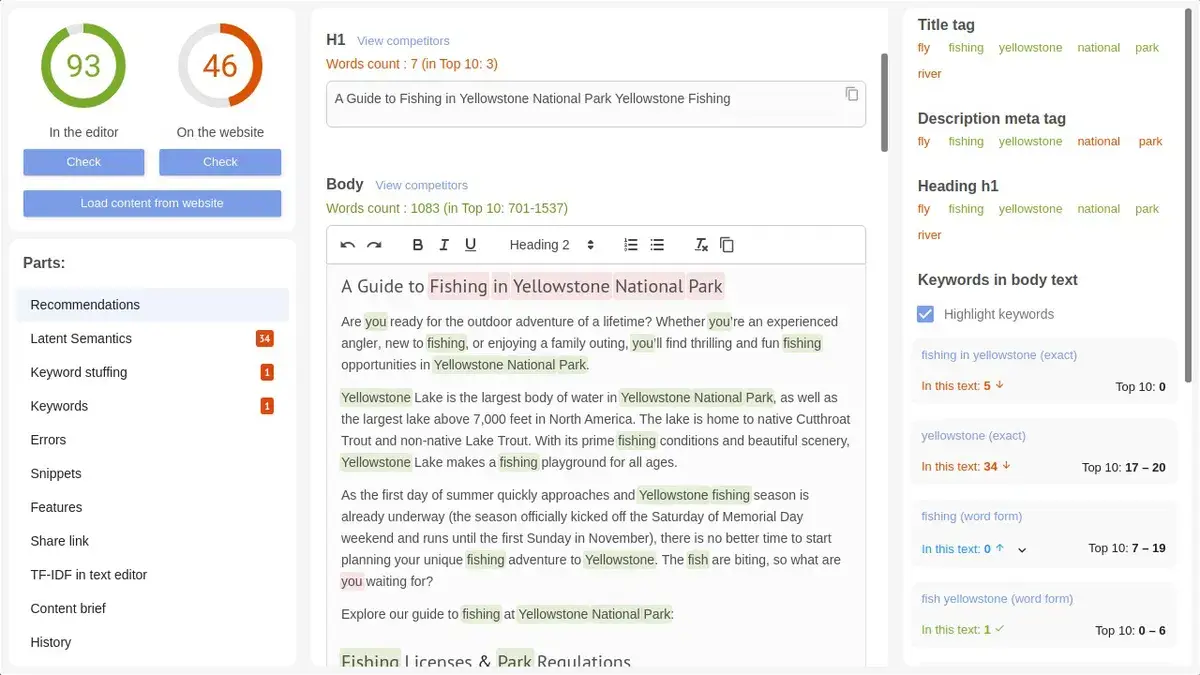
Technical SEO is the unglamorous foundation of everything else. You can produce perfect content all day long, but if your site has crawl errors, slow Core Web Vitals, broken internal links, or duplicate meta descriptions, Google is quietly discounting everything above it.
I was spending $149 a month on a technical auditor that did the job, but the job should not cost nearly $1,800 per year for a single-site operator.
Labrika audits against 200+ ranking factors. It monitors for broken links, duplicate content, page speed issues, structured data problems, and much more. What I appreciated most was the depth of its reporting: it does not just flag problems, it explains why they matter and prioritizes fixes by their likely impact on rankings. For someone who is not a technical SEO specialist, that guidance is genuinely valuable.
Six months in, my site health score reached 98%. I am not claiming Labrika was the sole reason my organic traffic grew during that period, but having a clean technical foundation meant none of my content was being held back by structural issues I was not even aware of.
3. Social Media Management Tool – Replaced My $59/Month Scheduler
Managing social media accounts for my brand and a handful of clients was genuinely messy. Different platforms, different content formats, different optimal posting times — doing this manually was eating hours every week, and the tool I was paying $59 a month for was not saving nearly as much time as it should have been.
The lifetime deal I found in this category handles scheduling across 10+ accounts, provides a unified content calendar, tracks engagement metrics per post, and manages all incoming messages through a single inbox. The switch was straightforward, and the difference in monthly cost was immediate and permanent.
My recommendation here: look for tools with strong AppSumo review histories and active founder communities. Social media management tools live and die by their API connections to the major platforms, and you want a team that stays on top of those changes.
Read More about 5 Best Social Media Management Tools 2026 — Stop Hootsuite
4. Keyword Research Tool – Replaced My $99/Month SEO Suite
This is the category where I spent the most time researching before committing. Keyword research is the cornerstone of my content strategy, and I was not willing to accept a significant accuracy downgrade just to save money.
What I found was that several of the lifetime deal keyword research tools have genuinely closed the gap with the subscription-based “Big Three.” The key metrics I care about — keyword difficulty, search volume accuracy, SERP feature tracking, and competitor keyword gaps — were available and reliable.
The one thing subscription tools still have a meaningful edge on is the breadth and freshness of their backlink databases. If advanced link analysis is central to your workflow, factor that into your evaluation. For keyword research and content planning specifically, the LTD options available in 2026 are strong.
Read More about SiteGuru Lifetime Deal Review 2026: Is This $79 SEO Audit Tool Worth It?
5. Email Automation Tool – Replaced My $150/Month Email Platform
Email marketing was my most expensive subscription, and for an understandable reason: most platforms charge by list size, which means you pay more precisely when your business is succeeding. It is a counterintuitive pricing model that penalizes growth.
The lifetime deal I found in this category covered up to 10,000 subscribers at a one-time cost. The automation features – triggered sequences, behavioral conditions, A/B testing — were comparable to what I had before. The onboarding took half a day, and a careful migration of my existing sequences, but once set up, it has run reliably ever since.
This single switch delivered the largest ongoing saving of the five, not because the tool was the most impressive, but because the subscription pricing model I escaped was the most aggressive.
Read More Our 7 Best Email Marketing Automation Tools 2026 – Honest
The Financial Breakdown: One-Time vs. Recurring
Let me show you the actual math. This is the comparison between what I was paying monthly and what I paid one time to replace each category:
Year two savings? replace SaaS subscriptions $6,072 — because I pay nothing in recurring fees. Year three, the same. The LTDs pay for themselves within the first month of not paying subscriptions, and then the savings compound indefinitely.
There is another way to read this table that I think is even more motivating: the $357 I paid in total one-time fees is less than what I was previously spending on subscriptions in a single month. One month of my old stack paid for the entire replacement stack, permanently.
Why Lifetime Deals Are a Strategic Business Decision, Not Just a Cost Cut
I want to address something directly, because I hear this objection a lot: “Lifetime deal companies are risky. They might shut down. You lose everything.”
This is a real risk. Two of the tools I bought in my first year of exploring the LTD stack for marketers did eventually shut down. I lost those purchases. But here is the math on that risk: I lost roughly $150 in total from those two failed bets. In the same period, I saved over $5,000 from the tools that worked. The expected value of buying well-researched LTDs from reputable marketplaces with refund policies is overwhelmingly positive, even accounting for occasional tool failures.
The more important point is what lifetime deals do for your business beyond the cash savings.
Read our latest article, Best Lifetime Deals 2026 — Complete Guide to Save $10,000+
1. They Fix Your Cash Flow Floor
In business, the months that hurt are not the ones where revenue is low — every business has slow months. The months that genuinely threaten you are the ones where revenue is low AND fixed costs are high. By eliminating $506 in monthly software costs, I lowered my break-even point significantly. In my worst month since the switch, my infrastructure was already paid for. I did not have to choose between keeping my tools on and keeping cash in reserve.
2. They Change How You Use the Tools
This surprised me. When I was on monthly subscriptions, there was always a low-grade anxiety about whether I was getting enough value to justify the renewal. That anxiety made me either rush through features or avoid using the tool altogether on slow weeks because it felt pointless.
With lifetime deals, that pressure disappears. I spent real time learning NeuronWriter’s semantic analysis features and Labrika’s content gap reports — features I had skipped on monthly tools because I was always feeling rushed. That deeper mastery led directly to better results. My content improved. My site health scores improved. Not because the tools were better, but because I was actually using them properly.
3. They Let You Reinvest the Savings
The $500 per month I freed up did not sit idle. I hired a part-time editor. I increased my ad spend on content that was already ranking and had proven conversion data. I invested in a professional brand redesign. Each of these would have been harder to justify — or impossible — while $506 was automatically leaving my account every month.
The subscription savings became fuel for actual business growth. That is the real case for LTDs: not just that you spend less, but that the money you reclaim can actually build something.
The SEO Impact: What Happened to My Rankings Over 6 Months
I want to be careful here not to overclaim. My organic traffic did improve during the six months following the tool switch, but isolating the cause is difficult — I was simultaneously using the new tools more thoroughly, producing more content, and publishing more consistently. All of those things contribute.
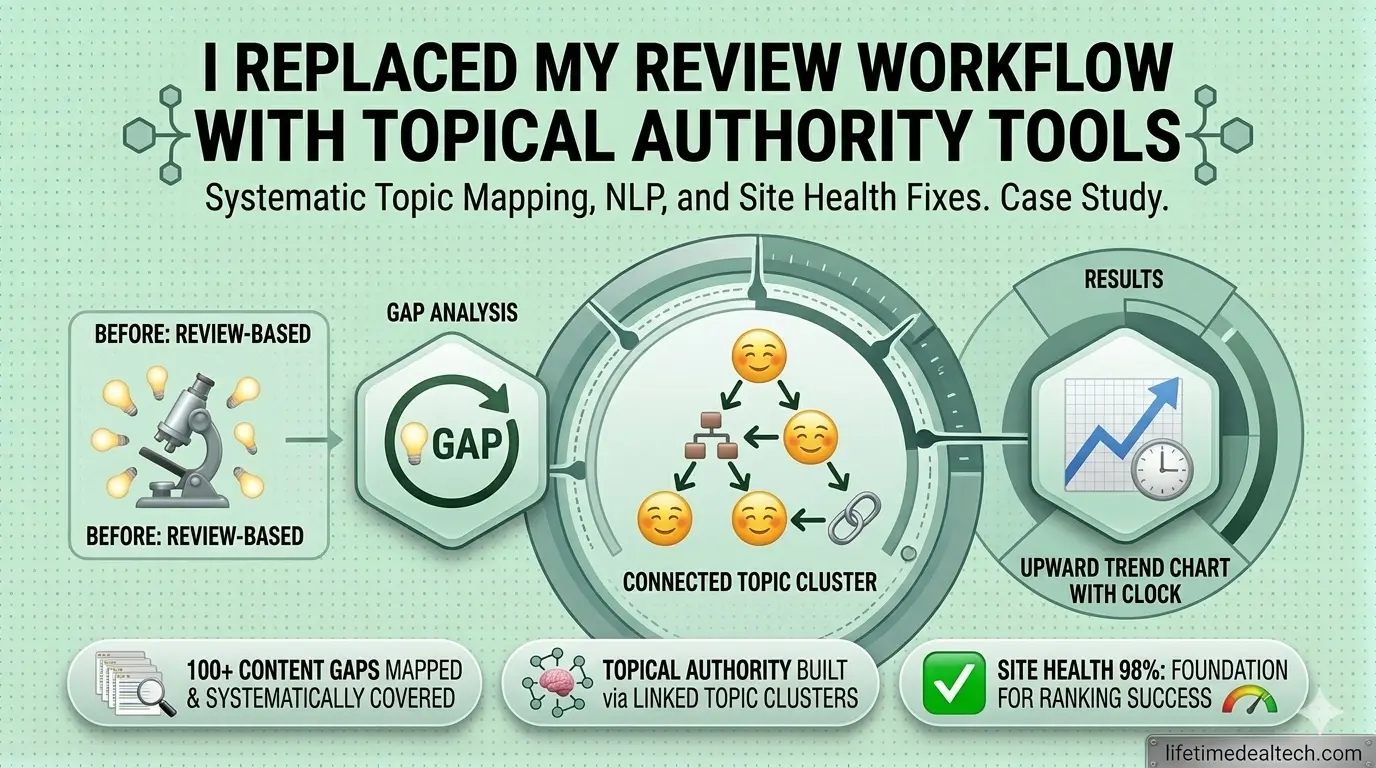
What I can say clearly: my technical SEO foundation became measurably stronger. My Labrika site health score went from 74% to 98% over four months of systematic fixes — broken links, duplicate meta descriptions, missing structured data, slow-loading images. These were issues I knew existed but had never systematically addressed because my previous auditor’s interface made prioritization confusing.
My content, optimized through NeuronWriter’s NLP recommendations, started hitting the first page for competitive long-tail keywords within 6 to 8 weeks of publication. Previously, comparable articles took 3 to 4 months to move. Whether that is NeuronWriter or my improved workflow or simply better keyword selection — probably all three — the outcome is real.
The broader strategic shift that had the biggest impact was Topical Authority. Instead of writing sporadic reviews on disconnected topics, I used NeuronWriter’s content gap analysis to map out every question my target reader has about SaaS lifetime deals and digital marketing tools. I then systematically published articles covering each of those questions, linking them together into a coherent topic cluster. This is standard SEO strategy, but having tools that make the planning and optimization practical — rather than theoretical — is what actually makes it happen.
The Honest Challenges: What Nobody Tells You About Switching
This case study would be incomplete without the parts that were hard. The savings are real, but the transition is not painless.
Data Migration Takes Longer Than You Think
Moving 8,000 email subscribers — with their tags, segments, and behavioral history — to a new platform took a full weekend. Not a few hours. A full weekend of exporting, cleaning, importing, testing, and reconfiguring automations. Plan migrations during low-traffic periods, create a full backup before you start, and accept that the first two weeks on a new email platform will involve discovering configuration quirks you did not know existed.
Every Tool Has a Learning Curve
Labrika is genuinely data-dense. On first impression, its technical audit interface can feel overwhelming — hundreds of flagged items across dozens of categories. I spent three hours watching tutorial videos before I understood how to prioritize the findings meaningfully. NeuronWriter’s scoring system took me about a week of daily use before the feedback stopped feeling arbitrary and started feeling actionable. Neither of these is a criticism of the tools — learning curves are the price of capability. But be realistic about the time investment when you plan your transition.
Not Every Lifetime Deal Is Worth Taking
I made bad bets. Two tools I bought in my first year failed — one company shut down completely, and one pivoted to a new product and abandoned the LTD user base. I lost approximately $150 in total. The lesson I took from this: only buy from marketplaces with genuine refund policies, look for founders who are visibly active in their product communities, and treat a healthy AppSumo review score (4.5+ stars from 100+ buyers) as a meaningful signal. The 60-day refund window AppSumo provides is not just a safety net — it is a research tool. Buy, test thoroughly within the window, and refund if it is not working.
How to Start: The “One Tool at a Time” Approach
If your first reaction to this case study is “I want to switch everything at once and get my $500 back immediately,” I understand, but resist that impulse. Trying to migrate your entire stack in a month creates operational risk that can genuinely hurt your business if something goes wrong.
The approach I recommend is sequential. Start by identifying your single most expensive recurring subscription. For most people in digital marketing, this is either their email platform or their SEO tool. Research the LTD alternatives in that category — read reviews, check AppSumo ratings, look at the product’s changelog to confirm the team is actively shipping updates. Buy, test during the refund window, and only finalize the switch when you are confident it meets your needs.
Then move to the next subscription. One at a time, over two to three months. By the end of that period, you will have replaced your entire stack methodically, with minimal disruption, and with full confidence in each tool you have chosen.
The compounding effect of this approach is that by month four, you are operating a fully-owned software stack where your tools improve through updates you have already paid for — while your former subscriptions are billing someone else.
Final Verdict: Is Building a Lifetime Deal Stack Worth It in 2026?
One year on, the answer for me is unambiguous: yes.
I saved $5,715 in year one. In year two, I will save the full $6,072 because every subscription is gone. I reinvested a portion of those savings into my business in ways that would not have been possible under the old model. And – this part still surprises me – my tools are genuinely better than what I had before, because I am using them more thoroughly.
The SaaS lifetime deals subscription model is not inherently evil. For enterprise teams that need dedicated support, guaranteed uptime SLAs, and deep integrations with proprietary systems – subscription pricing makes sense. But for solo operators, freelancers, small agencies, and early-stage businesses, the subscription model often charges enterprise prices for tools that are not being used at enterprise scale.
Lifetime deals are the correction to that misalignment. They let you buy tools at a price that reflects your actual usage and commit to them long enough to actually master them. That mastery, compounded over months and years, is worth more than the cash savings – although the cash savings are very real, too.
If you are spending more than $200 a month on software right now, the math strongly favors starting the switch. Your most expensive subscription is the place to begin. Find its lifetime deal equivalent, test it for 60 days, and make the decision with data in hand. The worst outcome is that you get a refund. The best outcome is that you reclaim thousands of dollars a year and build a stack that is genuinely yours.
💸 Stop Paying the SaaS Tax Every Month – AppSumo deals 2026
Browse the best lifetime deals 2026 for marketers, bloggers, and agencies — curated and reviewed by our team so you only buy tools worth keeping.
👉 Browse Best Lifetime Deals 2026 →
Only tools we have tested and recommend. No impulse buys, no wasted money.
📚 Related Articles You Will Find Useful
🔗 NeuronWriter Review 2026 — Is It the Best SEO Writing Tool on AppSumo?
🔗 Writecream Lifetime Deal Review 2026 — AI SEO Agent With Backlink Autopilot
🔗 Teable Review 2026 — The AI Database Agent Replacing Airtable
❓ Frequently Asked Questions
What is a SaaS lifetime deal?
A SaaS lifetime deals (LTD) is a one-time payment that grants you permanent access to a software product — no recurring monthly or annual fees. AppSumo is the most well-known marketplace for LTDs, typically partnering with software companies in their early growth phase who offer steep discounts in exchange for a user base and cash flow. You pay once and keep the tool as long as the company operates.
Why saas products should consider lifetime deals?
Stepping into the SaaS world often feels like shouting into a void, especially when you’re trying to gain traction against established giants. That’s where SaaS lifetime deals come in—they aren’t just a sales tactic; they’re a survival strategy for early-stage growth. By offering a one-time price, you’re essentially trading a bit of future recurring revenue for an immediate infusion of capital and, more importantly, a passionate army of early adopters.
These users are often the ones who will stress-test your features, provide the raw feedback you need to polish your roadmap, and act as your first real brand ambassadors. In a market that’s more crowded than ever, an LTD can be the spark that turns a quiet launch into a loud, sustainable business.
Are lifetime deals risky? What if the company shuts down?
The risk is real but manageable. Reputable LTD marketplaces like AppSumo offer 60-day money-back guarantees, giving you time to test before fully committing. Some tools do eventually shut down or pivot — I lost two purchases myself. But across a portfolio of well-researched LTDs, the savings from those that survive far exceed the losses from the ones that do not. The key is buying from marketplaces with refund policies and choosing tools from teams with visible development activity.
How do I know if a lifetime deal tool is reliable enough to replace my subscription?
Look for four signals: an AppSumo rating of 4.5 or higher from at least 50 verified buyers, a founder or team that is actively responding to questions and reviews, a product changelog showing regular updates in the past 90 days, and core functionality that directly matches your use case — not features you might use someday. Use the full refund window to test before you migrate completely.
How much can I realistically save by switching to lifetime deals?
It depends entirely on your current stack. In my case, switching 5 tools saved $5,715 in year one and $6,072 in every subsequent year. For someone with a smaller stack of two or three tools, $1,500–$2,500 in annual savings is realistic. The math compounds significantly over time because the LTDs are paid once while subscriptions renew indefinitely.
Where is the best place to find quality lifetime deals in 2026?
AppSumo is the largest and most established LTD marketplace, with the best buyer protection policies and the widest selection. Dealify, DealMirror, and PitchGround also carry solid deals across various categories. For curated picks with honest reviews, our site covers the tools we have personally tested or thoroughly researched — you can browse our recommendations at the links above.
Should I switch all my tools at once or one at a time?
One at a time, without exception. Migrating your entire stack simultaneously creates unnecessary operational risk — if something goes wrong with your email platform while you are also onboarding a new SEO tool and a new scheduler, troubleshooting becomes chaotic. Start with your most expensive subscription, test the replacement thoroughly within the 60-day window, complete the migration, and then move to the next. Allow at least 2–4 weeks between transitions.

Hi, I’m Arif Molla – founder of Lifetime Deal Tech, your trusted source for the best software lifetime deals, honest reviews, and money-saving guides.
I help bloggers, freelancers, and solopreneurs discover one-time SaaS deals that save thousands of dollars in subscription costs. I personally test and review every tool before recommending it.
Follow me for the latest lifetime deals, SaaS reviews, and smart buying guides.