
⚠️ Affiliate Disclosure: This article contains affiliate links to DealMirror. If you purchase through our links, we may earn a small commission at no extra cost to you. We only recommend tools we genuinely believe provide value. Read our full Affiliate Disclaimer. 🙏
⚡ Quick Verdict: AlertFlow Lifetime Deal 2026
| 4.5 ★★★★½ / 5 — Our Rating📱 ANDROID APP |
|
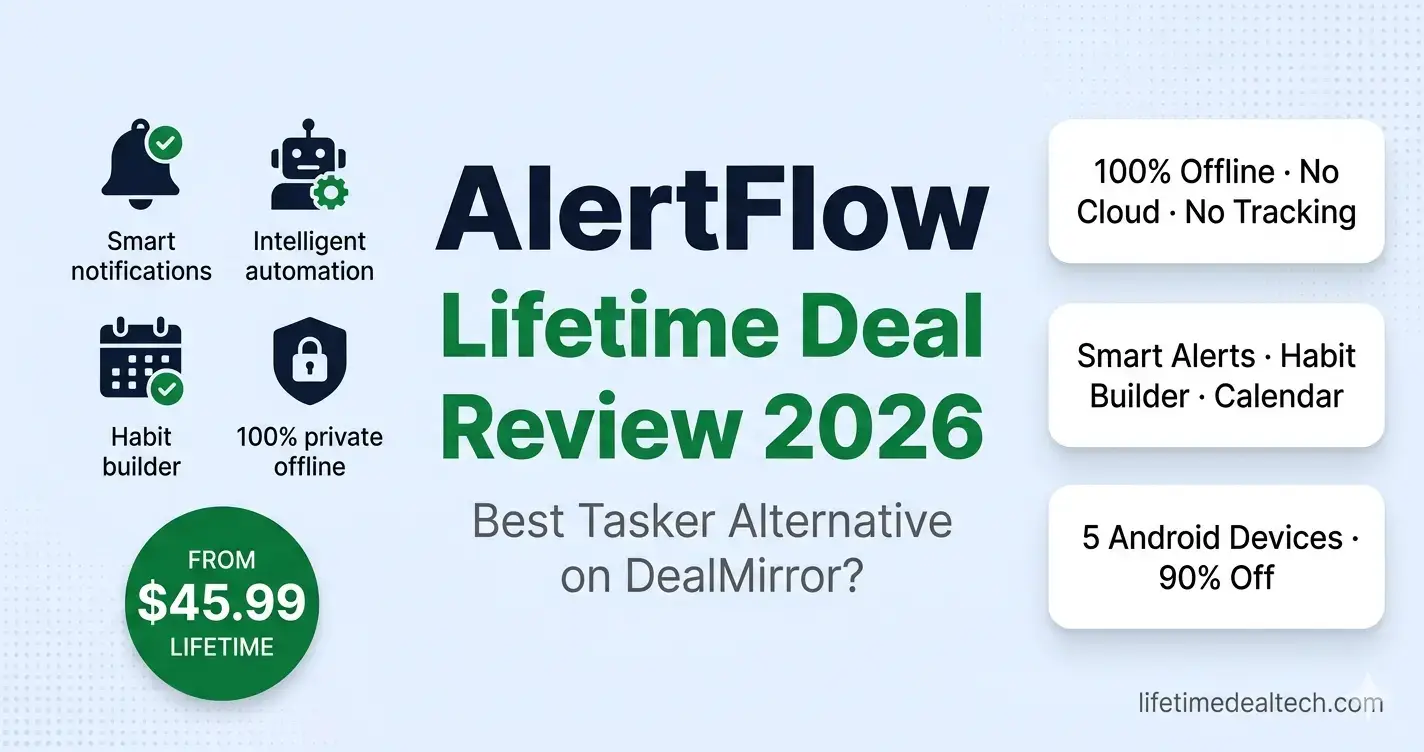
| 💰 Price: $45.99 one-time (was $459.99 — 90% off) | 📱 Platform: Android only |
| 🔒 Privacy: 100% offline — no cloud, no tracking | 🔄 Alternative to: Tasker, Macrodroid, Daywiseapp |
| 🖥️ Devices: Up to 5 Android device activations | 📦 Plan: Single Tier — all features included |
| 🛡️ Money-Back: 30 days (60 days for Prime members) | 🔧 Engine: ZI² — local processing, no cloud upload |
👉 View AlertFlow Lifetime Deal on DealMirror →
$45.99 One-Time | 90% Off | 5 Devices | 30-Day Money-Back Guarantee
🔍 What Is AlertFlow? And Why Your Phone Needs It
Let me describe something that happens to almost everyone with a smartphone. You have 200 notifications at the end of the day, most of them completely irrelevant. A game wants you to collect your daily reward. A shopping app found a sale on something you looked at once six months ago.
A social media app is telling you that someone you barely know liked a post. Meanwhile, the one email that actually mattered. The one from a client, the one about a payment, is buried somewhere in the middle of all of it. And you saw it three hours after it arrived.
The notification system on Android is genuinely broken in its default state. It was designed to give every app equal access to your attention. which, in practice, means the apps that shout loudest win, regardless of whether what they say actually matters to you.
The result is that most people either turn off notifications entirely (and miss things that matter). or leave everything on (and become distracted by things that do not).
AlertFlow takes a fundamentally different approach. Instead of giving every app equal volume, it puts you in control – letting you define. What actually matters is when you want to hear about it. and what your phone should do automatically based on your context.
You set the rules in plain English. AlertFlow does the rest. running quietly in the background through its proprietary ZI² Engine that processes everything locally on your device. with no cloud uploads and no data leaving your phone.
The DealMirror deal gives lifetime premium access. all features, up to 5 device activations, and all future updates for $45.99 one-time. That is 90% off the regular price. For anyone who has ever felt like their phone controls them. Rather than the other way around, this is worth serious consideration.
🔧 The ZI² Engine – Why Local Processing Matters
Before getting into the specific features, it is worth understanding what makes AlertFlow structurally different from most automation apps. The ZI² Engine is the heart of the platform. and its “local-first” architecture has meaningful practical implications beyond just privacy marketing language.
Most automation apps, even well-established ones, rely on cloud processing for their intelligence. Your data goes up to a server, the logic runs there, and the result comes back to your phone. This creates several real problems: it requires a constant internet connection to work. It introduces latency between trigger and action. which means your communication data (SMS patterns, call logs, contacts) is stored. on someone else’s servers, and it creates a dependency on the company staying operational.
AlertFlow processes everything on your device. The ZI² Engine reads your SMS patterns and call logs locally to suggest automations and calculate relationship health scores. Your contacts, rules, logs, and habits are stored on your physical device only.
If you delete the app, your data is gone, because it was never anywhere else to begin with. The practical result: AlertFlow works without an internet connection. responds instantly (no server round-trip), and never sends your communication data anywhere.
For freelancers and professionals who handle client communications, entrepreneurs whose phones contain sensitive business data. And anyone who has ever been uncomfortable with cloud-connected apps. reading their SMS history, this architecture is a meaningful differentiator from every competitor in this category.
⚙️ AlertFlow Key Features – Full Breakdown
🤖 Intelligent Automation — If This, Then ThatSet up automation rules without any technical knowledge — “if a charger connects, turn on Do Not Disturb,” “if I receive an SMS from this contact, play a specific alert sound,” “if I arrive at this location, switch to work mode.” The Smart Context Engine learns your usage patterns over time and proactively suggests automations based on what it observes — you do not have to figure out every rule yourself. Unlike Tasker, which requires near-developer-level configuration, AlertFlow is designed to be genuinely usable by non-technical people. | 🔔 Smart Reminders — VIP Connection TrackingAlertFlow’s FlowLife Intelligence monitors your “Connection Status” with the people you designate as important — parents, key clients, close friends — based on how frequently you actually interact with them. When your communication frequency drops below your set threshold, it sends a gentle reminder to reach out. This is different from a basic reminder app: it is context-aware, responding to actual interaction history rather than just a fixed schedule. Useful for anyone who genuinely wants to stay connected but gets busy and loses track. | |
📅 Calendar Auto-PilotAlertFlow connects to your calendar and automates the friction points around scheduled events. It can automatically join video meetings at the right time, silence all non-essential notifications during meeting blocks, turn on Do Not Disturb during focus sessions, and prepare your phone for transitions between work and personal time. For professionals who live by their calendar, this eliminates the constant manual adjustments that interrupt workflow — the phone becomes genuinely aware of what you are supposed to be doing and behaves accordingly. | 💧 Habit Builder — Daily Consistency TrackingDefine daily habits — drinking water every 2 hours, reading 20 minutes before bed, meditating after morning alarm, exercising at 7am — and AlertFlow sends timed reminders that fit around your actual schedule rather than interrupting at arbitrary times. The Habit Builder sits directly alongside your automation rules in the same unified dashboard, so your daily consistency goals and your phone automation work as one integrated system rather than separate apps fighting for the same notification space. | |
⏰ Smart Schedules — Context-Aware Notification TimingAlertFlow adjusts notification behavior based on your current context — working hours, relaxation time, and sleep. During your defined focus blocks, non-critical notifications are silenced or batched for later. During sleep hours, everything non-urgent is held until morning. During personal time, work app notifications can be muted. The result is that your phone’s notification volume matches your actual needs at any given moment without manual adjustment every time your context changes — something Android’s built-in Focus Modes attempt but execute inconsistently. | 🔒 100% Private — No Cloud, No TrackingAlertFlow’s “local-first” architecture means zero data leaves your device. The app needs SMS, call log, and location permissions — but unlike cloud-connected apps that upload this data to servers, AlertFlow’s ZI² Engine processes all of it locally. The company does not have a cloud server for user data. If you delete the app, everything is gone. This matters for two reasons: it means the app works offline without any internet connection, and it means your communication data — messages, contacts, call patterns — never becomes part of someone else’s database. | |
👥 Who Is AlertFlow Built For?
| 💼 Entrepreneurs | 👨💻 Freelancers | 🎓 Students | ✈️ Travelers | 🏢 Professionals |
💰 AlertFlow Pricing – One Simple Plan
AlertFlow has a single all-inclusive lifetime plan on DealMirror. One purchase, all features, 5 device activations, all future updates.
AlertFlow — Tier 1 Lifetime
$459.99 regular price
$45.99 one-time
90% OFF — Save $414
- ✅ Lifetime Premium License
- ✅ Up to 5 device activations (Android)
- ✅ All current and future features
- ✅ Unlimited contacts, apps, schedules & routines
- ✅ FlowLife Intelligence (relationship tracking)
- ✅ NFC + Digital Wallet integration
- ✅ ZI² Engine — 100% local processing
- ✅ Calendar Auto-Pilot
- ✅ Habit Builder
- ✅ Smart Schedules & Context Engine
- ✅ Priority support
👉 View AlertFlow Lifetime Deal →
30-day money-back | 60 days for DealMirror Prime members
📱 Your Phone. Your Rules. 100% Private. $45.99 Once.
Smart alerts · Habit builder · Calendar autopilot · No cloud · No tracking · 5 Android devices
👉 Checkout AlertFlow Lifetime Deal on DealMirror →
🛡️ 30-Day Money-Back | 90% Off | All Future Updates Included
🆚 AlertFlow vs Alternatives – 2026
| Feature | AlertFlow (LTD) | Tasker | Macrodroid | Daywise |
|---|---|---|---|---|
| Price | $45.99 once ✅ | $3.49 one-time | Free / $7.99 premium | Free / $3.99/yr |
| 100% Offline / No Cloud | ✅ Local-first 🏆 | ✅ Yes | ✅ Yes | ✅ Yes |
| Ease of Use (Non-Technical) | ✅ Very easy 🏆 | ❌ Developer-level | ⚠️ Moderate | ✅ Easy |
| Habit Builder Built-In | ✅ Yes 🏆 | ❌ Manual build | ❌ No | ❌ No |
| Relationship/VIP Tracking | ✅ FlowLife 🏆 | ❌ No | ❌ No | ❌ No |
| Calendar Auto-Pilot | ✅ Yes 🏆 | ⚠️ Manual setup | ⚠️ Limited | ❌ No |
| AI Suggestion Engine | ✅ ZI² smart suggestions 🏆 | ❌ No | ❌ No | ❌ No |
| 5 Device Activations | ✅ Yes 🏆 | 1 device | 1 device | 1 device |
| Lifetime Deal | ✅ Yes 🏆 | ✅ One-time | ✅ One-time | ⚠️ Annual |
The honest comparison: Tasker is significantly more powerful but has a notoriously steep learning curve; most casual users spend hours trying to build what AlertFlow sets up in minutes. Macrodroid is more approachable than Tasker, but still automation-focused without the habit or relationship-tracking layer.
Daywise is the closest in spirit (notification batching), but lacks the automation and intelligence depth. AlertFlow’s unique value is the combination of automation, habit building, and relationship tracking in one unified, privacy-safe platform.
💬 My Experience Using AlertFlow Lifetime Deal
Running lifetimedealtech.com from Riyadh, Saudi Arabia, I spend a significant portion of my day on my Android phone, between content research, affiliate dashboard checks, social media, client communications, and the inevitable inbox that never reaches zero. For a long time, my notification system was genuinely chaotic. Every app had the same priority. My phone buzzed equally for a DealMirror sale alert and a WhatsApp message from a client who needed a response that afternoon.
The first thing I set up in AlertFlow was the Smart Schedule – defining work hours, personal hours, and sleep. Within the first day, the difference was noticeable. During my defined focus blocks, my phone stopped interrupting me with non-essential alerts. During sleep hours, the only things that could break through were calls from my Greenlist contacts. That single setup probably saved me an hour of distraction per day in the first week alone.
The FlowLife relationship tracking was the feature I was most skeptical about before trying it. In practice, the gentle reminder that I had not called my parents in over a week was genuinely useful – not because I had forgotten, but because the specific prompt to act was something a generic calendar reminder would not have provided. The reminder appears in context, based on actual interaction history, and disappears once you make contact. It feels thoughtful rather than nagging.
The Calendar Auto-Pilot is the most practical feature for anyone with back-to-back meetings. AlertFlow automatically silences non-essential notifications during calendar events and joins video calls at the scheduled time – removing the two-minute scramble at the start of every meeting where you are hunting for the join link, unmuting yourself, and apologizing for being 30 seconds late.
The honest limitation: AlertFlow is Android-only. If your primary device is an iPhone, this tool simply does not exist for you – iOS does not allow the kind of deep system access that makes AlertFlow’s local intelligence engine possible. And as a newer tool on DealMirror without community reviews yet, some rough edges in the interface reflect its early stage. The ZI² Engine suggestions get better over time as it learns your patterns – so the first week is not fully representative of how useful it becomes after a month.
Bottom line: At $45.99 lifetime for 5 devices, AlertFlow is one of the most genuinely useful Android tools I have used in a long time. Not because it does something revolutionary, but because it solves a problem that has been unsolved on Android for years – making the notification system actually work for you, privately, without constant manual adjustment. The 30-day money-back guarantee makes testing completely risk-free. If you are an Android user who has ever felt overwhelmed by notifications, this is worth the purchase.
✅ AlertFlow Lifetime Deal – Honest Pros and Cons
✅ What We Love
| ⚠️ What Could Be Better
|
⭐ Our AlertFlow Rating Breakdown
| Automation Power & Ease of Use | 9.0 / 10 |
| Privacy & Security (Local-First) | 9.8 / 10 |
| Habit + Relationship Features | 8.8 / 10 |
| Calendar Auto-Pilot | 9.2 / 10 |
| Value for Money (90% off) | 9.5 / 10 |
4.5 / 5.0
★★★★½
Our rating | Android-only | New DealMirror listing | 90% off lifetime deal
❓ Frequently Asked Questions
Why does AlertFlow need SMS and call log permissions?
AlertFlow uses SMS and call log permissions for three specific purposes: Smart Setup (scanning your history to suggest relevant automation rules), FlowLife Intelligence (calculating relationship health scores based on interaction frequency with your VIP contacts), and Automation Triggers (firing routines based on incoming SMS keywords or specific callers). Critically, all of this processing happens locally on your device through the ZI² Engine – no data is uploaded to any external server. Unlike most apps that request these permissions for cloud-based analytics, AlertFlow’s local-first architecture means your communication data stays on your phone.
Will AlertFlow drain my phone battery?
Minimal impact. AlertFlow uses Android’s native “Broadcast Receiver” system rather than constantly polling sensors in the background. This means the app sleeps 99% of the time and only wakes for milliseconds when the system announces a relevant event – like a charger connecting, a call arriving, or an SMS with a trigger keyword. This event-driven architecture is significantly more battery-efficient than apps that run continuous background processes to check for conditions.
Is AlertFlow available for iOS?
No – AlertFlow is Android-only. The app’s core functionality depends on deep Android system access (SMS, call logs, Broadcast Receivers, background execution) that iOS does not permit third-party apps to use. There is no iOS version planned, as the ZI² Engine’s local intelligence architecture is fundamentally built on Android’s open permission model. If your primary device is an iPhone, AlertFlow cannot work for you.
What happens to my data if I delete AlertFlow?
Because AlertFlow uses a local-first architecture with no cloud server for user data, deleting the app means all your data, contacts, rules, logs, habits, and relationship scores are permanently gone. AlertFlow does not have a server backup of your information to restore from. The app offers a manual export function to back up your data before deleting. This is the privacy trade-off of the local-only model: maximum privacy, but manual backup responsibility.
How is AlertFlow different from Tasker?
Tasker is more powerful – it can automate virtually anything on Android if you know how to configure it. But Tasker’s steep learning curve means most users spend hours (sometimes days) setting up complex routines that AlertFlow handles in minutes through plain English rules and AI-suggested automations. AlertFlow also includes features that Tasker does not, such as Habit Builder, FlowLife relationship tracking, Calendar Auto-Pilot — in a unified dashboard designed for non-technical users. Think of it this way: Tasker is for developers who want to build anything; AlertFlow is for everyone else who wants results without configuration pain.
📚 Related Articles — Keep Reading
Disclaimer: This article contains affiliate links to DealMirror. Read our full Affiliate Disclaimer.

Hi, I’m Arif Molla – founder of Lifetime Deal Tech, your trusted source for the best software lifetime deals, honest reviews, and money-saving guides.
I help bloggers, freelancers, and solopreneurs discover one-time SaaS deals that save thousands of dollars in subscription costs. I personally test and review every tool before recommending it.
Follow me for the latest lifetime deals, SaaS reviews, and smart buying guides.