
⚠️ Affiliate Disclosure: This article contains affiliate links to AppSumo. If you purchase through our links, we may earn a small commission at no extra cost to you. All opinions are my own based on independent research and verified user reviews. Read our full Affiliate Disclaimer. 🙏
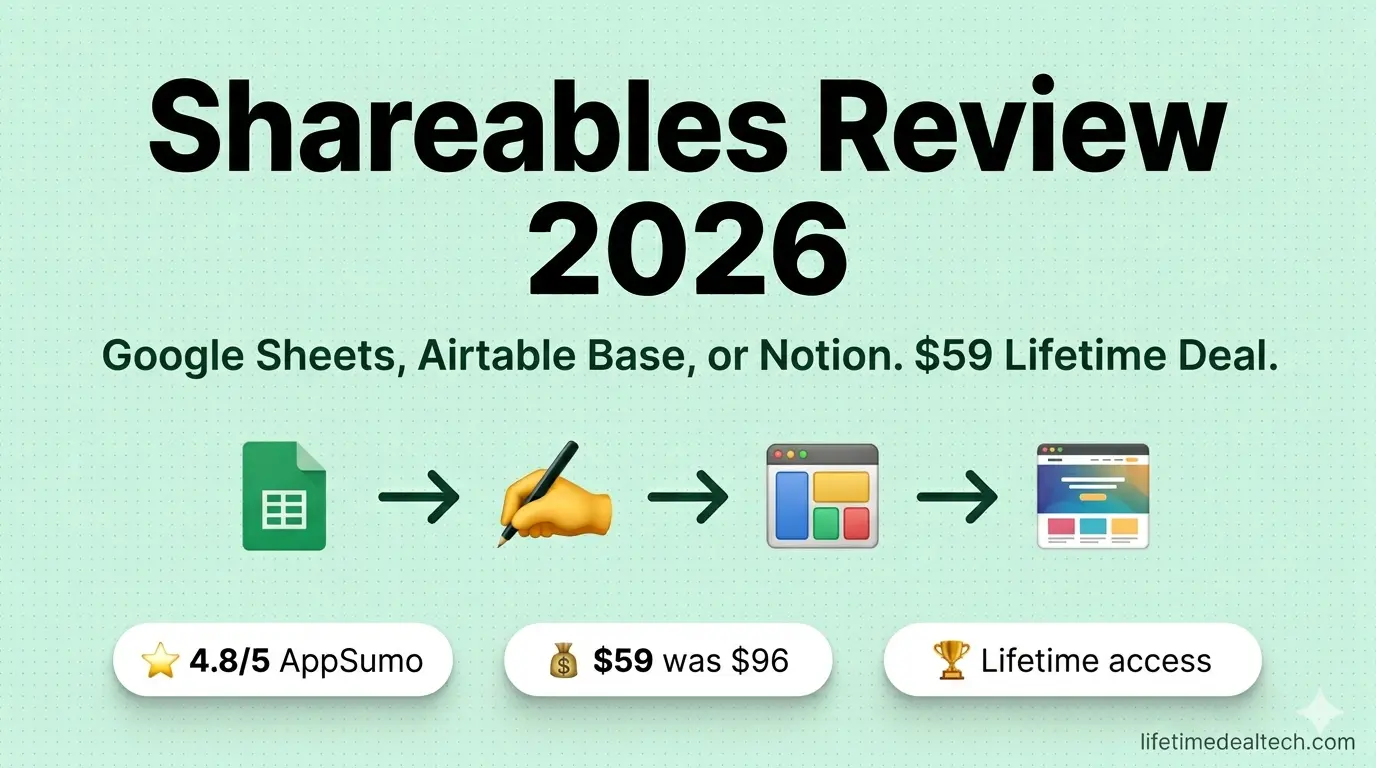
4.8 ★★★★★ / 5 | ⚡ Quick Verdict — Shareables Review 2026 Shareables solves a genuinely frustrating problem: you have data in Google Sheets or Airtable that needs to look good on a website, and the options are either “hire a developer” or “embed a clunky raw spreadsheet.” Shareables gives you a third option – beautiful, auto-updating, embeddable widgets in under 20 minutes, zero code required. For the $59 AppSumo lifetime price, it is one of the cleanest value propositions on the platform right now. |
| 💰 AppSumo Price: From $59 one-time (Tier 1) | ⭐ AppSumo Rating: 5.0 / 5 (34 reviews) |
| 🔗 Data Sources: Google Sheets, Airtable, Notion, Stackby, SmartSuite, Excel, Trello +more | 🔄 Alternative to: Softr, Webflow CMS, and custom developer builds |
| 🌐 Embed On: WordPress, Webflow, Wix, Squarespace, Shopify, Framer, any HTML site | 👥 Best For: Freelancers, agencies, solopreneurs, small businesses |
| 📊 Row Limit: Up to 20,000 rows per data source | 🛡️ Money-Back: 60 days (AppSumo guarantee) |
| 👉 View Shareables Lifetime Deal with 10% Off New Email Signup → |
The Problem Shareables Solves – And Why It Matters
If you have ever managed a product catalog in Google Sheets and needed to put it on a website, you know the frustration. The options are almost insultingly bad. You can embed the raw spreadsheet, which looks like exactly what it is: a spreadsheet trapped on a web page. You can copy everything manually into a CMS, which means it goes out of date the moment you update the sheet. Or you can pay a developer to build something custom, which costs far more than the problem deserves.
This is such a common pain point across so many different use cases. A property agent is maintaining a listing sheet. A community manager with a member directory in Airtable. A restaurant owner updating a weekly menu in Notion. A SaaS founder with a public roadmap in Google Sheets. Every single one of them has the same problem: the data lives in a spreadsheet, and the website has no idea.
Shareables is a direct, clean solution to exactly that problem. Connect your data source, pick a template, customize the design, and publish — either as a standalone website on a custom domain or as an embeddable widget you can drop into any existing site. Data syncs automatically. When you update the sheet, the website updates. No code. No developer. No delay.
I came across this AppSumo deal while building our Best AppSumo Deals 2026 roundup, and a perfect 5.0 rating from 34 verified buyers stopped me immediately. That is rare on any platform, and it usually means the product is doing something right. This Shareables review is the full picture — what it actually builds, where it genuinely excels, where it has limits, and whether the AppSumo lifetime deal makes sense for your specific situation.
What Is Shareables?
Shareables is a no-code website and widget builder built by Ryan Walker, the same founder behind NextStep, which also appeared on AppSumo this year. Ryan built Shareables because he ran into the same spreadsheet-to-website frustration himself. The product launched in 2024 and has quietly gathered a loyal following of 655+ users who describe it as the tool they did not know they needed until they found it.
The core workflow has three steps. Connect your data source – turn Sheets & Notion into a Website: Google Sheets, Airtable, Notion, Stackby, SmartSuite, Excel, Teable, Trello, or several others. Choose your template from over a dozen widget types. Customize it, then publish as a standalone site or copy the embed code for your existing website. The whole process takes about 20 minutes for a first-time user and under five minutes once you know your way around.
What makes Shareables useful is the live sync. You do not export, you do not copy, you do not manually update anything. The widget reads directly from your connected data source. Change a row in your Google Sheet, refresh the page — it is updated. For anyone managing data that changes regularly, that live connection is the feature everything else is built around.
🎬 Watch Shareables in Action
Before the feature breakdown, watch this official demo. It is short, clear, and does the best job of showing how fast the product-to-website pipeline actually is in practice:
🎁 New to AppSumo? Get 10% Off Your First Purchase!
Sign up with a new email → get 10% discount on any lifetime deal.
Thousands of tools from $19 once.
🛍️ Sign Up to New Email & Get 10% Off AppSumo →
✅ New accounts only | ✅ Instant discount | ✅ Lifetime access
The speed is the thing that jumps out immediately. There is no build phase, no waiting for renders, no deployment pipeline. You connect, customize, copy the embed code, and it is live. That pace matters a lot when you are an agency building sites for clients or a founder who needs to ship something this week, not next month.
⚙️ Shareables Features – Full Breakdown
🔗 10+ Live Data Sources — Sync Once, Update Forever
Shareables currently connects to Google Sheets, Airtable, Notion, Stackby, SmartSuite, Excel, Teable, NocodeBackend, AITable, and Trello – with more being added every month. The connection is OAuth-based for Google Sheets and Airtable, meaning you authorize once, and Shareables reads your data in real time. There are no CSV exports, no scheduled syncs, and no manual refreshes. The widget displays whatever is in your connected spreadsheet at that moment.
All plans support up to 20,000 rows per data source – more than enough for most use cases, including full product catalogs, event listings, and member directories with thousands of entries.
🧩 14+ Widget Templates – A Use Case for Almost Every Business
The template library is one of the most impressive parts of Shareables because it demonstrates how broad the actual use-case surface is. Every template is powered by the same core data-connection engine, but displays it in a completely different format suited to different needs.
| 🛍️ Products / Catalog | 👥 Team Directory | 💼 Job Board |
| 📅 Events Listing | ⭐ Testimonial Wall | 📊 Interactive Charts |
| ✍️ Blog Grid | 🏘️ Property Listings | 📚 Resource Library |
| 🏷️ Pricing Table | 👤 Member Directory | 🍽️ Restaurant Menu |
| 👕 T-Shirt Store | ❓ FAQ / Help Center | 🗺️ Salon Booking Page |
You also get a detail page view for most templates, allowing visitors to click through to a dedicated page for each item — product detail, employee bio, property description — all powered automatically from columns in your spreadsheet.
🎨 Full Customization – Filters, Search, Branding, Domains
The visual editor is what separates Shareables from clunky alternatives. You get a live, clickable preview directly inside the dashboard – no need to publish and reload to see changes. Click any element, and the settings panel opens on the right, and you edit it inline. Users consistently highlight this live preview as the feature that makes the setup experience genuinely enjoyable.
Customization options include brand colors set at the project level (so they apply across all widgets), search functionality, filter menus, sort controls, tag badges, card layouts, list views, detail views, custom fonts, and conditional display rules. You can also set brand colors at the project level so every widget in a client account stays consistent.
Custom domains with automatic SSL are included on paid tiers – so your widget or website lives at catalog.yourbrand.com, not a Shareables subdomain. This matters a lot for agencies building client-facing directories or marketplaces.
📤 Embed Anywhere or Publish as a Standalone Site
Every widget generates a standard HTML embed code that you can drop into any website builder – WordPress, Webflow, Squarespace, Wix, Shopify, Framer, Notion, Ghost, Carrd, Weebly, BigCommerce, Magento, Joomla, Drupal, HubSpot, WooCommerce, GoDaddy, or plain HTML. If it can render an iframe or a script tag, Shareables works inside it.
Alternatively, each widget can be published as its own standalone website – no host required, no separate CMS, no tech setup. You get a live URL and a custom domain option out of the box. This is useful when you want a dedicated page for a product catalog or directory rather than embedding it inside a larger site.
📊 Built-in Analytics
Shareables includes a basic analytics dashboard that shows you how many times your widget or website has been viewed, which items are being clicked, and overall engagement trends. For agencies, this is useful reporting to include in client deliverables. For founders running a product catalog or job board, it shows which listings are getting attention so you can optimize accordingly.
💬 What Real Users Are Saying
The AppSumo review section for Shareables is unusually positive – a perfect 5.0 from 34 buyers, which is the kind of score that only happens when the product consistently delivers, and the founder pays personal attention to support. A few quotes that capture the experience well:
“I gave myself one hour to figure it out. If it felt complicated, I planned to abandon the idea. I didn’t watch a single tutorial. Within about 20 minutes, my landing page was roughly 80% complete. What normally takes me a couple of hours in WordPress now takes under 30 minutes.”
“This is a game-changer for our agency. Clients can simply update spreadsheet information in real time. Once it’s set up and optimized, it’s pretty much plug and play.”
“It’s insanely fast. You can go from raw data to a clean, shareable site in minutes. Custom domains with auto-SSL, clean widget templates, and excellent Lighthouse scores.”
“I’ve never felt compelled to leave a review on AppSumo, and I’m a frequent tryer and buyer. Ryan, the creator, got on multiple calls with me to troubleshoot, and now I have a fully functioning website of nearly 4k lines of data.”
💰 Shareables AppSumo Lifetime Deal – Pricing Breakdown
The AppSumo deal has five tiers, scaling based on the number of widgets and custom domains you need. All features – data sources, templates, customization, analytics, search, filters – are available across all tiers. You only scale up if you need more widgets or domains.
| Tier | Price | Widgets | Websites | Regular Value |
|---|---|---|---|---|
| Tier 1 | $59 | 10 widgets | 1 website | $96/yr |
| Tier 2 | $129 | 50 widgets | 5 websites | $480/yr |
| Tier 3 ⭐ Best Value | $249 | 100 widgets | 10 websites | $960/yr |
| Tier 4 | $389 | 250 widgets | 25 websites | $2,400/yr |
| Tier 5 | $589 | 500 widgets | 50 websites | $4,800/yr |
✅ Shareables Pros and Cons
✅ What I Like⚡ Spreadsheet-to-website in under 20 minutes, genuinely 🔄 Live sync — update the sheet, site updates automatically 🧩 14+ widget templates covering almost every use case 🔗 10+ data sources, including Google Sheets, Airtable, Notion, Excel 🎨 Live clickable preview in the editor — no publish-refresh loop 🌐 Embed anywhere or publish as a standalone site with a custom domain + SSL 🔍 Search, filters, sort — all configurable without code 🎨 Project-level brand colors for consistent client work 📊 Built-in analytics on widget views and clicks 👨💻 Founder actively ships updates and answers support personally | ⚠️ What Could Be Better📄 Not a full website builder — no navigation menus, legal pages, or user accounts 🔢 Tier 1 widget limit (10) fills up quickly for active users 📦 20,000 row cap per data source (fine for most, limits very large datasets) 🔁 No built-in automation or workflow triggers (use Zapier or Make for that) 👥 Team collaboration and client access are still on the roadmap |
🆚 Shareables vs Competitors
It is worth being direct about positioning here. Shareables is not competing with Softr or Webflow – those are full app and website builders designed for complex data-driven applications. Shareables is competing with the gap between “raw spreadsheet embed” and “full custom build.” That is a very specific problem, and it solves it better than anything else in that space.
| Feature | Shareables | Softr | Raw Embed | Custom Dev |
|---|---|---|---|---|
| Setup Time | ✅ 20 min | ⚠️ Hours–Days | ✅ 2 min | ❌ Weeks |
| Looks Good | ✅ Yes | ✅ Yes | ❌ No | ✅ Yes |
| Live Data Sync | ✅ Yes | ✅ Yes | ✅ Yes | ⚠️ Manual |
| No Code Needed | ✅ Yes | ✅ Yes | ✅ Yes | ❌ No |
| Lifetime Deal | ✅ $59+ | ❌ $49-200/mo | ✅ Free | ❌ $2,000-10,000+ |
| Embed in Existing Site | ✅ Yes | ⚠️ Limited | ✅ Yes | ✅ Yes |
👥 Who Should Buy Shareables?
🟢 Buy If You Are… ✅ A solopreneur managing data in Google Sheets who needs a website ✅ A web agency building client directories or catalogs ✅ An Airtable or Notion power user who wants public-facing pages ✅ A community manager needing a member or event directory ✅ A restaurant, real estate agent, or retailer with regularly changing data ✅ A SaaS founder who wants a public changelog or job board | 🔴 Think Twice If You… ❌ Need a full website with navigation, about page, and legal pages ❌ Require user logins, dashboards, or gated content ❌ Need complex automation triggered by data changes ❌ Have datasets significantly larger than 20,000 rows |
💬 My Honest Verdict – Are Shareables Worth Buying in 2026?
I rarely see a perfect 5.0 rating on AppSumo from 34 verified buyers, and when I do, I pay attention. In Shareables’ case, the unanimity makes sense. The product delivers precisely what it promises, it delivers it fast, and the founder is genuinely present – answering questions, getting on calls with users, and shipping updates based on what people actually ask for.
The value case is compelling from multiple directions. If you are a solopreneur who has ever paid a developer to “just put this spreadsheet on the website as something that looks decent,” you already know what Shareables is worth. If you are an agency building client-facing directories or product catalogs, Shareables turns a recurring build cost into a reusable system. One verified buyer described it clearly: ” What used to take hours in WordPress now takes under 30 minutes. That time saved across a year of client work pays for the lifetime deal many times over.
The limitations are real – Shareables is not Softr, and it is not trying to be. You will not build a membership platform with user logins or a full company website with it. But for the specific problem of “I have data in a spreadsheet, and I need it to look good on the internet,” it is the cleanest, fastest, most reliable tool I have seen.
The 60-day AppSumo money-back guarantee removes the purchase risk entirely. For anyone managing data in Google Sheets, Airtable, or Notion and regularly wishing it looked better online – this is an easy recommendation. You can also explore more handpicked tools in our Top 10 Lifetime Deals You Can’t Miss in 2026 roundup.
🚀 Get Shareables Lifetime Deal on AppSumo
⭐ Perfect 5.0 / 5 from 34 verified reviews | AppSumo Select pick | 655+ active users
One-time payment from $59. All plan updates included. 60-day money-back guarantee.
| 👉 Get Shareables Lifetime Deal with 10% Off New Email Signup → |
60-Day Money-Back Guarantee | All Future Updates | AppSumo Select
❓ Frequently Asked Questions – Shareables Review
What is Shareables, and what does it do?
Shareables is a no-code website and widget builder that connects to Google Sheets, Airtable, Notion, and other data sources. You pick a template, connect your data, customize the design, and publish as a standalone website or embeddable widget. Data syncs automatically from your spreadsheet — no manual updates needed.
Is the Shareables AppSumo lifetime deal worth it in 2026?
Yes — for anyone managing data in Google Sheets, Airtable, or Notion who needs to display it publicly. Starting at $59 one-time with a perfect 5.0 AppSumo rating and a 60-day money-back guarantee, it is one of the strongest value propositions currently available on the platform.
What data sources does Shareables support?
Google Sheets, Airtable, Notion, Stackby, SmartSuite, Excel, Teable, NocodeBackend, AITable, and Trello — with more being added monthly. All plans support up to 20,000 rows per data source.
What types of websites and widgets can I build?
Product catalogs, job boards, team directories, member directories, event listings, testimonial walls, blog grids, property listings, resource libraries, pricing tables, restaurant menus, FAQ pages, charts, salon booking pages, and more. Each template supports detail pages, search, filters, and custom branding.
Can Shareables widgets be embedded in WordPress, Webflow, or Wix?
Yes. Shareables generates standard HTML embed codes that work on any website builder — WordPress, Webflow, Squarespace, Wix, Shopify, Framer, Notion, Ghost, Carrd, and plain HTML sites. You can also publish as a standalone website with a custom domain and automatic SSL.
What are the main limitations of Shareables?
Shareables is focused on displaying and embedding data — not building full websites with navigation, legal pages, or user accounts. Tier 1 is limited to 10 widgets, which fills up quickly for active users. There is also a 20,000-row cap per data source, and no built-in automation workflows.
📚 Related Articles
Disclaimer: This article contains affiliate links to AppSumo. If you purchase through our links, we may earn a commission at no extra cost to you. Read our Affiliate Disclaimer.

Hi, I’m Arif Molla – founder of Lifetime Deal Tech, your trusted source for the best software lifetime deals, honest reviews, and money-saving guides.
I help bloggers, freelancers, and solopreneurs discover one-time SaaS deals that save thousands of dollars in subscription costs. I personally test and review every tool before recommending it.
Follow me for the latest lifetime deals, SaaS reviews, and smart buying guides.